Picture the release everyone was sure about. Every ticket closed, every test suite green, the demo flawless. Then, three days after go-live, the checkout page starts timing out at peak traffic – or worse, finance discovers that discount codes stack in ways the business never intended, silently bleeding margin on every order. The team runs a post-mortem and lands on the same uncomfortable question: how did we test everything and still miss this?
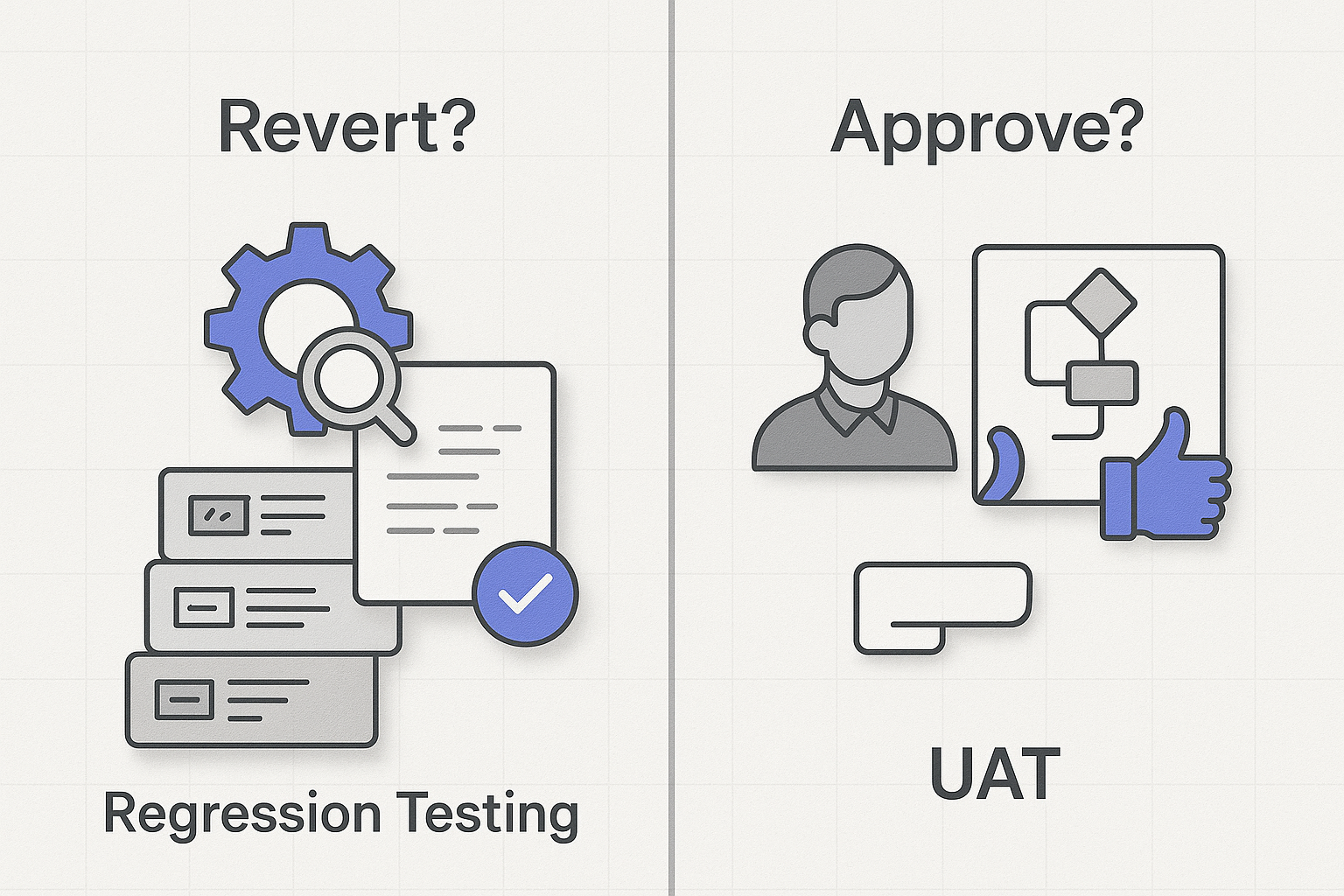
More often than not, the answer is that “everything” was really just one half of the picture. The team ran regression testing and called it a day, or they leaned on UAT to catch problems that regression should’ve flagged automatically. These two practices answer fundamentally different questions. Regression testing asks, “Did we break anything that used to work?” UAT asks, “Does this actually solve the business problem?” Treat them as interchangeable and you’ll ship code that either breaks silently or works perfectly while failing to do what the business needed.
Here’s what most guides get wrong: they frame regression testing and UAT as an either/or choice, then hand you a shallow two-column table and call it done. This guide takes a different position. Regression and UAT aren’t rivals – they’re two halves of one closed-loop quality pipeline, each feeding the other. You’ll get standards-grounded definitions, a multi-dimensional comparison matrix that goes deeper than the usual purpose/timing split, trigger-based timing rules for continuous CI/CD environments, and – the piece almost everyone skips – the performance regression layer that catches the production surprises functional testing alone never will.
- The Fundamental Difference: Purpose and Timing
- Regression Testing Deep Dive: Protecting Existing Functionality
- User Acceptance Testing Deep Dive: Business Validation Before Go-Live
- Regression vs. UAT: The Multi-Dimensional Comparison Matrix
- How Regression Testing and UAT Work Together as One Closed-Loop Pipeline
- Performance Testing Across Regression and UAT: The Layer Everyone Forgets
- Common Mistakes: When Teams Confuse Regression and UAT
- Building a Complete Testing Strategy: Regression → Performance → UAT → Production
- Frequently Asked Questions
- References
The Fundamental Difference: Purpose and Timing
Regression testing and UAT sit at different points on the same continuum, and the confusion between them is almost entirely a matter of vocabulary rather than concept. Both happen before release. Both aim at quality. That surface similarity is exactly why teams collapse them into one bucket – and why so much shipped code fails in ways nobody expected.
The distinction becomes clear once you separate test levels from test types, a distinction the ISTQB Standard Glossary of Testing Terms formalizes. Regression testing is a test type – an activity you can apply at any level (unit, integration, system) whenever code changes. Acceptance testing, including UAT, is a test level – a specific stage in the lifecycle with defined entry and exit criteria. Regression runs during system and integration testing on every build; UAT runs on a stable, regression-passed build in the final pre-release milestone. They occupy different coordinates on the SDLC map, and neither can stand in for the other.
The IEEE Guide to the Software Engineering Body of Knowledge (SWEBOK) places both within the broader testing discipline, reinforcing that they’re complementary rather than competing. The Google SRE Book makes the same point from a reliability angle: a canary rollout, it notes, “isn’t really a test; rather, it’s structured user acceptance” [1]. In other words, even at the production edge, technical and business validation live on one spectrum – not in separate silos.
What Regression Testing Actually Verifies
Regression testing verifies that a change didn’t break previously working functionality. ISTQB defines it precisely as testing of a previously tested component or system following modification, to ensure that defects have not been introduced or uncovered as a result of the changes made [1]. That’s the whole job: guard the existing surface area while new code lands on top of it, and for a deeper treatment of what to test and when to test in regression testing, the strategy choices matter as much as the cadence.
The trigger is a change – any change. In modern pipelines that means regression fires after every commit, every pull request, and every pre-deployment step, executed by automated suites rather than a person clicking through screens. The symptom it exists to catch is subtle: consider a null-handling refactor in a pricing module that assumed every order carried a discount object. The change works flawlessly on discounted orders and throws an unhandled exception on every non-discount order – a side effect a human would rarely think to check but an automated regression suite catches in seconds.
What UAT Actually Validates
UAT flips the question from did we break it to does it do what the business needs. Real business users – business analysts, product owners, and end users – validate that the system meets documented requirements before it reaches production. The performers are deliberately non-technical: they represent the people who’ll live with the software, and they judge fitness for purpose, not code correctness.
The business case for UAT is bluntly economic. As enterprise testing practitioners at Panaya frame it, the guiding UAT question is “what is the cost of NOT doing it” – because fixing defects and workflow issues after release is far more expensive than catching them beforehand [2]. Consider a loan-approval workflow: functional tests confirm each screen submits and each API returns 200, but only a loan officer running the end-to-end flow will notice that the approval logic rejects a customer profile the business explicitly wanted to approve. That’s a requirement mismatch, not a bug, and no amount of regression testing surfaces it.
Why the Two Get Confused (and What It Costs)
The conflation is expensive, not academic. Testing practitioners at Katalon note that confusing the two leads teams to overlook either technical or business validation entirely [3]. The most damaging version of the myth is “UAT will catch our regressions.” It won’t. A business-logic defect ships precisely because regression passed – the code is technically correct – but no user validated the workflow, so the requirement mismatch slips through. Run it the other way and you get the inverse failure: a build with 100% stakeholder approval that crashes for edge cases users never exercised during their scripted UAT session. Each discipline blinds you to what the other is built to see.
Regression Testing Deep Dive: Protecting Existing Functionality
Once you’re past the definition, regression testing is really a question of economics and speed. A defect caught inside the CI pipeline, as CircleCI’s engineering team puts it, costs “a few minutes and a one-line fix” – versus hours of investigation, rollback, and firefighting once it’s downstream [4]. That cost gradient is the entire argument for automating regression and running it relentlessly.
The most durable way to build a regression suite is to feed it from real failures. The Google SRE Book recommends documenting every reported bug as a test case: “If every bug is converted into a test, each test is supposed to initially fail because the bug hasn’t yet been fixed. As engineers fix the bugs, the software passes testing and you’re on the road to developing a comprehensive regression test suite” [1]. Your suite grows in exactly the shape of your historical weaknesses.
Broken functionality after a code change almost always traces to one of four root causes: side effects (a shared function’s behavior shifts and unrelated callers inherit the change), integration boundaries (the new code and old code disagree on a contract at their seam), null- and type-handling changes (like the pricing-module example, where an assumption about data shape no longer holds), and config drift (the code is fine but the environment it now runs in isn’t). Map each symptom class to a regression strategy and you stop treating “it broke somehow” as a mystery – for the recurring hurdles here, the common challenges in regression testing are worth studying before your suite grows unmanageable.
When It Runs and Who Owns It
Regression is a continuous, QA-owned discipline executed largely by automated suites and orchestrated by QA and DevOps engineers. The Google SRE Book describes a continuous test system that “runs unit tests against the code in the mainline each time a change is submitted, allowing us to detect build and test failures quickly” [5]. That per-change cadence is the modern default, and the DORA Accelerate State of DevOps research backs its payoff – continuous integration is among the technical capabilities that measurably improve software delivery and operational performance [6].
A practical cadence rule that keeps pipelines fast: run risk-based selective regression on every pull request – targeting only the suites touched by the change, typically completing in under 10 minutes – then run full regression on mainline merges, where you can afford 30 – 45 minutes. Regression stays in the minutes-to-hours range, never days; the moment it creeps toward hours, developers stop trusting it and start bypassing it.
The Performance Regression Layer Most Teams Skip
Here’s the layer nearly every regression discussion omits: functional pass/fail tells you the feature works, not that it works fast enough. Performance regression testing detects latency, throughput, or resource-usage degradation between builds – the silent slowdowns that never trip a functional assertion. The Google SRE Book is explicit that engineers use stress tests to “find the limits on a web service” [1], and those limits shift with every code change whether you measure them or not.
A concrete guardrail: fail the build when p95 latency drifts more than 10% above the rolling baseline, or when throughput drops below an agreed floor such as 500 requests per second. Consider the production surprise this catches – a caching change that’s functionally identical but adds 300ms to every authenticated request. Every functional test passes. Then at production concurrency, that 300ms compounds into thread-pool exhaustion and cascading timeouts at 2am. RadView’s platform integrates automated performance regression directly into CI/CD, comparing each run against an established baseline and flagging deviations before they compound – the kind of check that turns a 2am incident into a caught-at-merge footnote. For the performance metrics that define a healthy baseline, the details matter as much as the thresholds.
Choosing Regression Scope: Retest-All vs. Selective vs. Risk-Based
Not every change deserves the full suite. ISTQB-aligned taxonomy distinguishes several regression flavors, and choosing among them is a speed-versus-coverage decision:
| Regression Type | Scope | When to Use |
|---|---|---|
| Complete (retest-all) | Entire suite | Change touches shared/core libraries |
| Selective | Affected suites only | Change isolated to one module |
| Progressive | New tests for new features | Feature adds behavior alongside old |
| Unit-level | Single component | Localized refactor with clear boundaries |
The decision rule is concrete: if a change touches a shared payment library, run complete regression – the blast radius is the whole application. If it touches an isolated UI component, run selective regression against the affected suites only. Change-based test selection, where the pipeline inspects the diff and runs just the relevant tests, is what keeps CI regression fast at enterprise scale.
User Acceptance Testing Deep Dive: Business Validation Before Go-Live
UAT is the final gate before production, and its currency is business scenarios, not code paths. Where regression runs in minutes, UAT runs in days to weeks, because human stakeholders are working through real workflows at human speed. Its test cases come not from a functional test library but from user stories and acceptance criteria – the documented promises the software made to the business.
Panaya’s enterprise testing guidance frames good UAT as end-to-end scenario scripts executed in sequence to validate critical business flows [2], and the discipline of writing acceptance criteria borrows directly from the Business Analysis Body of Knowledge (BABOK), which defines how stakeholders express what “done” means in business terms. A well-formed acceptance criterion is testable and specific: “A first-time buyer can complete checkout in three steps or fewer and receive an order confirmation within 5 seconds.” That’s something a product owner can pass or fail without reading a line of code, and it maps directly to a named business workflow like order-to-cash.
Designing Business-Scenario UAT That Catches Real Defects
The best UAT scenarios trace a full business process and tie every step to explicit acceptance criteria and a business risk. Take an order-to-cash flow: a customer adds two items to the cart, applies a promo code, checks out with a saved card, receives an email confirmation, and the order appears in the fulfillment queue with correct tax and an invoice generated. The pass criteria are unambiguous at each step – correct discount applied, tax calculated per jurisdiction, confirmation within the SLA window, invoice matching the order total.
What elevates this above a generic checklist is mapping each scenario to business risk. A stacking-discount edge case in the promo step carries high financial risk, so it earns dedicated scenarios; a cosmetic label on the confirmation screen carries low risk and can rely on lighter coverage. That risk-prioritization framework – rarely spelled out in competing guides – is how you decide where to spend limited UAT hours.
Performance UAT: Validating SLAs With Production-Like Load
UAT has a performance dimension too, and it’s distinct from regression’s baseline-comparison job. Performance UAT validates that business scenarios meet their SLAs under realistic, production-like concurrency. The question isn’t “did performance change since last build” but “will this hold up when the whole business hits it at once.” A concrete target: p99 response time under 2 seconds at 1,000 concurrent business users during a modeled Black Friday peak, with zero errors on the checkout path – the kind of spike that makes e-commerce application testing for Black Friday a distinct discipline.
Getting that scenario realistic means reproducing genuine user behavior across every protocol the business actually uses – web front ends, REST and SOAP APIs, message queues, and microservice calls. WebLOAD’s 150+ protocol support lets teams build UAT load scenarios that mirror the real transaction mix rather than an idealized single-endpoint stress test, which is what makes the SLA numbers trustworthy.
UAT in Agile: Sprint-Gated, Not Waterfall-Bolted-On
The old model treated UAT as a monolithic phase tacked onto the end of a waterfall project. In Agile, UAT is sprint-gated: it runs against the stories in a sprint, on a build that’s already cleared automated regression. A concrete trigger rule works well – UAT on a story begins only when that story passes automated regression with a 95% or higher pass rate and its acceptance criteria are documented and agreed. This keeps business validation continuous and prevents the end-of-project pileup that waterfall UAT invited. The payoff is more than tidiness: DORA’s research found that teams prioritizing user needs achieve 40% higher organizational performance and manage to “build the right thing and build the thing right” [6] – which is exactly what sprint-cadence UAT institutionalizes.
Regression vs. UAT: The Multi-Dimensional Comparison Matrix
Most comparisons stop at “purpose and timing.” That’s not enough to actually operationalize the distinction. Below is a multi-dimensional matrix, with each definition anchored in ISTQB terminology, including the two dimensions competing guides consistently under-serve – environment and automation-fit – plus the performance dimension none of them cover at all.
| Dimension | Regression Testing | User Acceptance Testing (UAT) |
|---|---|---|
| Objective | Technical verification: did changes break existing functionality? | Business validation: does it meet requirements? |
| Performer | QA engineers, automated suites | Business users, product owners, stakeholders |
| Timing | Continuous – per commit, PR, deployment | Milestone-gated – final pre-release stage |
| Environment | Dev / staging / CI | Production-like |
| Automation-fit | High (90%+ automatable) | Partial (40 – 60%; exploratory value matters) |
| Test-case source | Existing functional test library | User stories, acceptance criteria |
| Pass criteria | Functional correctness vs. prior behavior | User satisfaction, requirement fulfillment |
| Failure signal | A previously passing test now fails | A user says “this doesn’t do what we need” |
| Performance dimension | Baseline deviation detection (e.g., p95 within 10% of baseline) | SLA validation under load (e.g., p99 < 2s at peak concurrency) |
Reading the Matrix: The Three Dimensions That Trip Teams Up
Three rows cause the most trouble. Environment: regression runs in dev, staging, or CI, where speed and repeatability matter; UAT runs in a production-like environment because business validation is only credible against realistic data and integrations. Automation-fit: regression is 90%+ automatable and should be; UAT sits around 40 – 60% automation because over-automating it destroys the exploratory value real users bring. Failure signal: regression fails when a machine assertion breaks; UAT “fails” when a human says the software doesn’t meet a need – a fundamentally different, and un-automatable, judgment. The substitution myth – that one can replace the other – collapses the moment you notice these three dimensions have no overlap.
Which One Do I Need Right Now? A Quick Decision Guide
- If a hotfix touches shared code, then run regression (selective if the change is isolated, complete if it hits core libraries) – no UAT required for a technical-only fix.
- If a new feature must satisfy business stakeholders before go-live, then run UAT – after it has cleared regression.
- If you’re releasing a feature that both changes existing behavior and introduces new business capability, then sequence them: regression first as a gate, UAT second on the stabilized build.
How Regression Testing and UAT Work Together as One Closed-Loop Pipeline
This is where the either/or framing finally breaks down entirely. Regression and UAT don’t just coexist – they hand off to each other and feed back into each other. The Google SRE Book’s discipline of turning every reported bug into a permanent test case [1] is the authoritative basis for the loop, and DORA’s finding that high performers “build the right thing and build the thing right” [6] captures why you need both directions running.
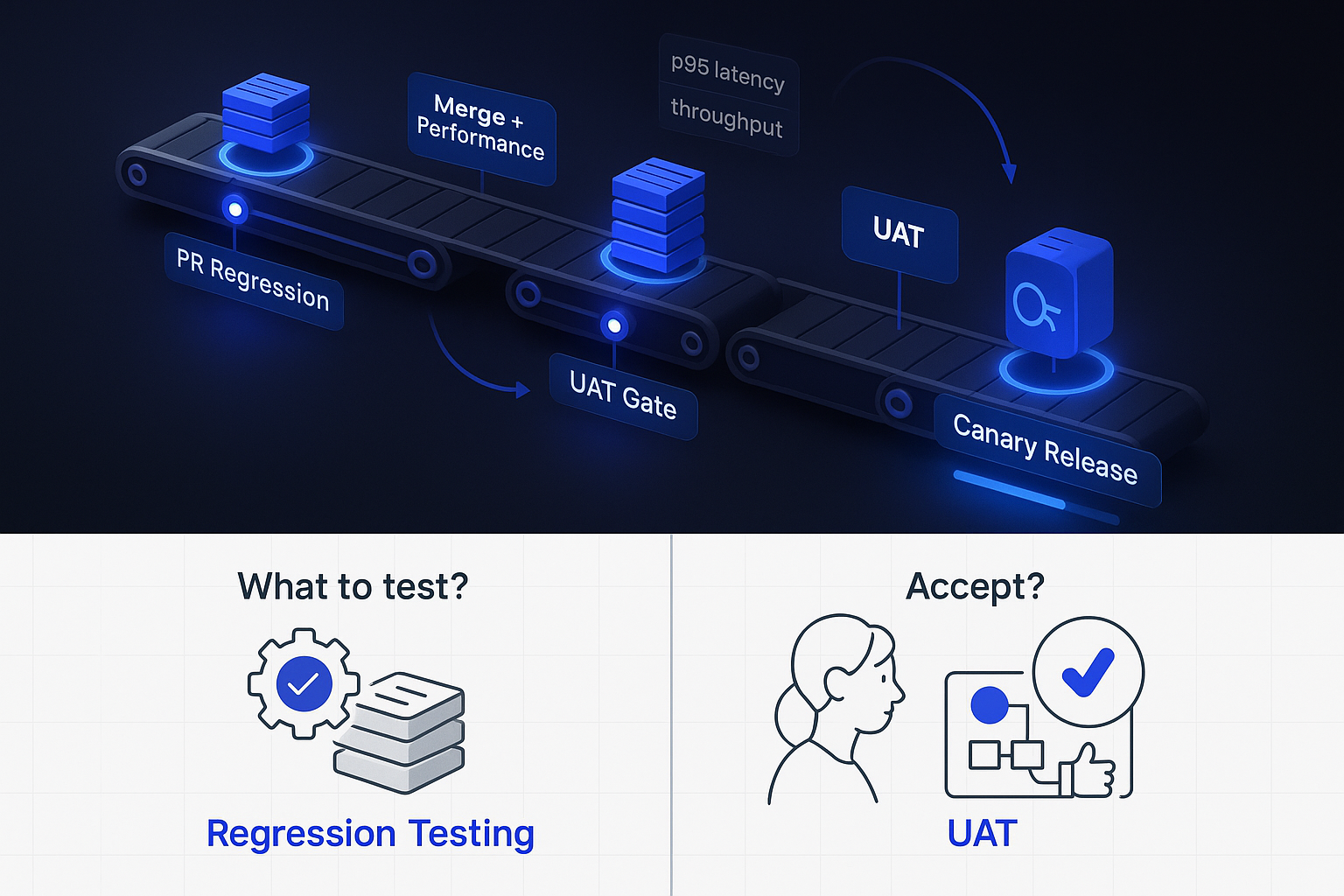
Walk through a real e-commerce cycle. A team adds a discount-code feature. Step one: every commit triggers selective regression – checkout still works, cart totals still calculate, existing payment flows are untouched. Step two: the merge to mainline runs full functional regression plus a performance-regression baseline check, confirming the new discount logic didn’t add latency to the checkout path. Step three: the stabilized build enters UAT, where a product owner validates the business rules. Step four: UAT surfaces a stacking-discount bug – two codes combine in a way the business never intended, and no functional test caught it because the code was technically correct. Step five: the fix ships, and the stacking scenario becomes a permanent automated regression test. The next release can’t reintroduce that bug. On DORA’s scorecard, this loop pushes change failure rate down while keeping deployment frequency high – you ship more often and break production less.
The Handoff: Regression Gates UAT Entry
UAT should only start on a stable, regression-passed build. The Google SRE Book describes release engineering’s practice of continuous build test targets that “correspond to the same test targets that gate the project release” [5] – the tests that must pass before anything proceeds. Translate that into a concrete entry gate: UAT starts only when the regression pass rate is 95% or higher on a frozen build and all critical performance baselines are green. Let business users loose on an unstable build and they’ll waste days reporting technical noise instead of validating business fit.
The Feedback Loop: When UAT Findings Become Regression Tests
The reverse flow is what most guides miss entirely. When UAT catches a business defect, that finding shouldn’t just get fixed – it should become permanent regression coverage. Say UAT catches a tax-calculation bug on cross-border orders: the business flow was wrong, users caught it, engineering fixed it. Before that finding closes, it becomes a regression test and, if it involved load-sensitive behavior, a recurring performance-regression check. RadView’s platform makes the performance half of this concrete: a validated UAT scenario – say, cross-border checkout under load – can be promoted into a recurring automated performance-regression gate, so the flow users signed off on stays protected in every subsequent build.
The DORA Impact: Faster, Safer Releases
The integrated pipeline isn’t quality theater – it moves the numbers that matter. DORA’s research ties continuous integration and user focus directly to delivery and organizational performance [6]. Concretely, the closed loop improves change failure rate (fewer defects reach production because both technical and business validation gate every release) while supporting high deployment frequency (automated regression keeps the technical gate fast enough that business validation, not build breakage, becomes the pacing item).
Performance Testing Across Regression and UAT: The Layer Everyone Forgets
Performance testing shows up in both phases – but with completely different jobs. In regression, its job is baseline deviation detection: has performance degraded relative to the last known-good build? In UAT, its job is SLA validation: does the system meet its business commitments under realistic load? Conflate these two objectives and you’ll either miss gradual creep or fail to prove production readiness. The Google SRE Book’s framing of stress testing to “find the limits on a web service” [1] applies to both, but the question you’re asking differs by phase.
Consider a documented-style production incident: a service quietly accumulated a 15% throughput regression across six sprints, no single build tripping any alarm because functional tests all passed and nobody was comparing performance build-over-build. At production scale during a promotion, that accumulated 15% became the difference between coping and collapsing – resource exhaustion and cascading timeouts. Automated baseline comparison would have flagged the very first sprint that crossed the deviation threshold. AI-powered anomaly detection accelerates this by surfacing suspicious deviations across builds automatically – though a human still reviews each flagged anomaly to separate a real regression from an expected change. The AI removes the toil of watching every metric; the engineer keeps the decision.
Regression Performance Testing: Catching Silent Slowdowns
Regression performance testing starts with establishing a baseline – capturing p95/p99 latency, throughput, and resource usage from a known-good build – then automatically comparing every subsequent build against it. A concrete rule: throughput must stay within 5% of the last green baseline, and p95 latency within 10%, or the build fails the gate. Applying CircleCI’s cost logic to performance – minutes in CI versus hours (or a production incident) downstream [4] – makes the case obvious: catching a 300ms regression at merge is trivial; catching it at 2am under load is a career-defining night. Wiring these checks into your CI/CD pipeline through continuous performance testing integration is what turns performance from a periodic audit into a continuous guardrail.
UAT Performance Testing: Proving SLAs With Real Business Scenarios
UAT performance testing proves the SLAs with production-representative load – a different exercise from baseline comparison. Here you model the real thing: 2,000 concurrent users completing checkout with p95 under 1.5 seconds and a 0% error rate on the payment path. The realism comes from reproducing the actual protocol mix and user journeys, which multi-protocol support across web, APIs, and microservices makes achievable. The goal is a defensible statement to the business: “yes, this will hold up on launch day.”
Common Mistakes: When Teams Confuse Regression and UAT
Katalon’s practitioners are blunt about the consequence of conflation – teams overlook either technical or business validation [3] – and Thoughtworks’ Technology Radar has long warned about testing anti-patterns like the “ice-cream cone,” where teams over-invest in slow manual/UI testing and under-invest in fast automated checks. Here are the four that cause the most damage, each with its fix and its real-world cost:
- Skipping regression and jumping straight to UAT. Cost: integration debt accumulates and business users burn days reporting technical breakage. Fix: gate UAT behind a 95%+ regression pass rate.
- Treating UAT as the final regression phase. Cost: the wrong performers (business users) hunt for technical bugs they’re not equipped to find, and real regressions slip through. Fix: keep the performers and objectives separate – automation for technical, humans for business fit.
- Omitting performance from regression. Cost: a memory leak or throughput creep surfaces only at production scale – a 3am incident. Fix: add a performance baseline gate to every mainline merge.
- Over-automating UAT. Cost: you lose the exploratory judgment real users bring and validate only the happy paths you scripted. Fix: keep UAT automation in the 40 – 60% range and preserve human exploration.
Myth-Busting: “UAT Will Catch Our Regressions”
It won’t, and relying on it is how regressions reach production. Consider an API contract change that breaks a downstream integration – a reporting service, say – that end users never touch directly. UAT participants exercise the front-end workflows they know; they have no reason to trigger the broken integration, so it passes UAT clean and fails in production. Business users validate business fit. They are not, and shouldn’t be, your regression net.
Self-Diagnostic: Which Validation Are You Actually Skipping?
Answer honestly:
- Do you run automated regression on every commit or PR – not just before release?
- Do you run a performance baseline check on every mainline merge?
- Does UAT begin only on a build that’s passed regression at a defined threshold?
- Do UAT findings get converted into permanent regression tests?
- Are your regression suites and UAT scenarios organized as clearly separate phases with distinct owners?
A “no” on 1 or 5 means you’re blurring the phases. A “no” on 2 means you’re exposed to performance surprises. Keeping the two disciplines cleanly separated – distinct suites, distinct owners, distinct gates – is easier when your tooling supports phase-based test organization rather than dumping everything into one undifferentiated bucket.
Building a Complete Testing Strategy: Regression → Performance → UAT → Production
A continuous testing strategy is more than scripts wired into a pipeline – it’s a set of decisions about what to test, when, and how fast. The full pyramid layers cleanly onto a staged pipeline, with concrete gates at each stage:
- Stage 1 (per PR): unit tests + selective functional regression. Target: under 10 minutes.
- Stage 2 (on merge to mainline): full functional regression + performance regression baseline check. Target: under 45 minutes; fail on p95 latency drift over 10% or throughput below the baseline floor.
- Stage 3 (pre-release): UAT sign-off gate. Requirement: 95%+ regression pass, acceptance criteria documented, stakeholder approval recorded.
- Stage 4 (release): canary at 5% traffic with SLA guardrails – auto-rollback if error rate exceeds 1% or p99 latency exceeds 2s over a 10-minute window.
The Google SRE Book’s description of continuous test targets that gate release, plus staged rollouts tuned to a service’s risk profile [1][5], is the reference architecture here, and DORA’s evidence [6] is why the investment pays off.
Shift-Left: Catching Issues Before They Compound
Shift-left means moving detection as early as possible – per-commit regression, and crucially, performance checks in development rather than as a pre-release afterthought. A concrete shift-left gate: block any merge that introduces a new endpoint lacking a performance baseline test. CircleCI’s minutes-in-CI-versus-hours-downstream logic [4] is the entire justification – the earlier you catch it, the cheaper it is by an order of magnitude. This is the foundation of a healthy shift-left and shift-right practice in performance engineering.
Shift-Right: UAT and Validation in Production-Like Conditions
Shift-right validates in production-like conditions and at the production edge. The Google SRE Book’s framing of canary as “structured user acceptance” [1] captures the idea – you’re validating real business behavior against real infrastructure, with rollout tuned to risk profile. A concrete guardrail: auto-rollback the canary if error rate exceeds 1% or p99 latency crosses 2s over a rolling 10-minute window. Shift-left and shift-right aren’t competing philosophies; they’re the two ends of a pipeline that validates continuously from first commit to production traffic.
WebLOAD Across the Pipeline: One Platform, Both Phases
The practical advantage of a single performance platform spanning both phases is consistency of measurement. The same checkout scenario can run as a 15-minute performance-regression gate on every merge – comparing against baseline, failing fast on deviation – and as a full 2,000-user SLA validation during pre-go-live UAT, with both results reported on one unified dashboard. AI-powered baseline comparison and anomaly detection reduce the manual toil of watching metrics across builds, though flagged anomalies still get human review before a build is blocked. That’s the point: let automation handle the watching so engineers spend their time on the decisions that need judgment. Integrating this across your DevOps pipeline is what makes the combined quality pipeline real rather than aspirational.
Frequently Asked Questions
What is regression testing vs UAT?
Regression testing is a QA-owned technical activity that asks “did we break anything that used to work?” after a code change, run by automated suites. UAT is a business-validation stage where real users, product owners, and stakeholders ask “does this meet our business needs?” before production release. Different performers, different questions – both grounded in ISTQB definitions.
Is regression testing part of QA or UAT?
Regression testing is part of QA, not UAT. In ISTQB terms it’s a test type (applied at unit, integration, or system levels) performed by QA engineers and automated suites throughout development and CI/CD. UAT is a distinct test level owned by business stakeholders. Regression can run inside almost any test phase; it is never a UAT activity.
Can you do regression testing and UAT at the same time?
Not on the same unstable build – UAT should start only when regression passes at a defined threshold, typically 95% or higher on a frozen build. That said, in continuous environments regression keeps running per-commit on the next iteration while UAT proceeds on the stabilized release candidate, so both disciplines are active in parallel across different builds.
Who should perform regression testing vs UAT?
Regression testing is performed by QA engineers and automated test suites, orchestrated by QA and DevOps roles. UAT is performed by business users, product owners, business analysts, and end-user representatives – the people who’ll actually rely on the software. Keeping these performers separate is deliberate: technical validation needs machines and specialists; business validation needs the business.
Should performance testing be part of regression or UAT?
Both – with different objectives. In regression, performance testing does baseline deviation detection (fail the build if p95 latency drifts over 10% from baseline). In UAT, it does SLA validation (confirm p99 under 2s at expected peak concurrency). The Google SRE Book’s use of stress testing to find service limits [1] applies to both; a single platform running across both phases keeps measurement consistent.
Editorial note: Benchmark figures, threshold percentages, and automation ranges cited throughout this article are context-dependent illustrations. Validate them against your own environment, workloads, and business requirements before adopting them as gates.
References
- Perry, A., & Luebbe, M. (2017). Site Reliability Engineering, Chapter 17: Testing for Reliability. O’Reilly Media / Google, Inc. Retrieved from https://sre.google/sre-book/testing-reliability/
- Panaya. (N.D.). Testing Scenarios: Business-Flow UAT Guidance. Panaya. Retrieved from https://www.panaya.com/blog/testing/testing-scenarios
- Katalon. (N.D.). UAT vs Regression Testing. Katalon Resources Center. Retrieved from https://katalon.com/resources-center/blog/uat-vs-regression-testing
- CircleCI. (N.D.). Regression Testing: What it is, why it matters, and how to automate it with CI. CircleCI Engineering Blog. Retrieved from https://circleci.com/blog/regression-testing-and-how-to-automate-it-with-ci/