When 41% of enterprises report that a single hour of downtime costs between $1 million and $5 million, the question isn’t whether you can afford to invest in load testing, it’s whether you can afford not to [1]. That statistic, drawn from ITIC’s 11th annual survey of over 1,000 organizations worldwide, isn’t an outlier. It’s the norm for mid-size and large enterprises operating high-traffic applications in 2026.
Yet here’s the uncomfortable truth most post-mortems won’t tell you: the outage itself is rarely the root cause. The root cause is the absence of strategic, continuous load testing before the outage ever materialized. You’ve likely lived this cycle, a vague pre-launch test run against a staging environment half the size of production, a dashboard that showed green, and then a 3 a.m. page when real users hit a code path nobody simulated.
This guide is built for you: the QA lead, SRE, DevOps manager, or IT architect who’s tired of reactive incident response and ready for a structured approach that transforms load testing from a one-time checkbox into a continuous discipline. You’ll walk away with a sequenced planning framework, a pre-launch readiness checklist, and a risk mitigation model that connects test findings directly to infrastructure hardening actions and executive-level continuity reporting. Traffic complexity, cloud migration, and user expectations are accelerating simultaneously, which makes right now the moment to get this right.
- The Real Price Tag of ‘We’ll Fix It in Production’: Understanding the True Cost of IT Outages
- What Is Strategic Load Test Planning, And Why It’s Not What Most Teams Are Doing
- Crafting Your Load Test Plan: A Step-by-Step Framework From Objectives to Execution
- Step 1 – Define Your Objectives: What ‘Pass’ and ‘Fail’ Actually Mean Before You Write a Single Script
- Step 2 – Model Real User Behavior: Building Test Scenarios That Actually Reflect Production Traffic
- Step 3 – Configure Your Test Environment: Why Production Parity Is Non-Negotiable
- Step 4 – Select Your Load Profile: Ramp-Up, Steady State, Spike, Soak, and When to Use Each
- Step 5 – Analyze Results Like a Performance Engineer, Not a Dashboard Watcher
- Step 6 – Document, Report, and Iterate: Turning One Test Cycle Into a Living Performance Baseline
- Proactive Outage Prevention: How Load Testing Results Translate Into Infrastructure Hardening Actions
- Embedding Load Testing Into CI/CD Pipelines: Shifting Performance Left So Bottlenecks Never Reach Production
- Frequently Asked Questions
- References
The Real Price Tag of ‘We’ll Fix It in Production’: Understanding the True Cost of IT Outages
Before you can justify a load testing program to anyone, your team, your manager, your CFO, you need a number that lands. Abstract appeals to “reliability” don’t unlock budget. Dollar figures do.
Breaking Down Downtime Dollars: What $33,333 Per Minute Actually Means for Your Business
ITIC’s 2024 data is unambiguous: 97% of large enterprises (1,000+ employees) report that a single hour of downtime costs over $100,000 [1]. Cross-referencing with IDC and New Relic research, the commonly cited benchmark settles around $33,333 per minute for mid-market and enterprise organizations, with aggregate annual IT outage costs reaching $76 million per organization [2].
Let’s make that concrete. A 20-minute outage during a peak traffic window, a flash sale, a product launch, a market open, translates to approximately $666,660 in direct losses at the $33,333/minute rate. But that figure captures only the immediate transactional impact. It doesn’t account for SLA penalty clauses (often 10–25% of monthly contract value per violation), customer churn driven by a single bad experience (which for SaaS platforms can compound into six-figure annual revenue loss per affected enterprise client), or the engineering hours consumed by incident response, root cause analysis, and emergency remediation.
For financial services firms processing real-time transactions, the per-minute cost frequently exceeds $100,000. For e-commerce platforms during seasonal peaks, even a five-minute degradation (not a full outage, just elevated latency) can redirect purchase intent to competitors permanently.
Beyond the Balance Sheet: Reputational and Operational Fallout That Lingers Long After Recovery
Financial losses have a recovery curve. Reputational damage does not follow the same trajectory. When a payment processor fails during Black Friday peak or a SaaS collaboration platform drops during a global product launch, the immediate revenue hit is quantifiable, but the trust deficit compounds over quarters. Enterprise procurement teams maintain vendor incident logs. Renewal conversations surface past failures. Competitive evaluations cite reliability history.
NIST SP 800-160 Vol. 2 Rev. 1, the federal framework for developing cyber-resilient systems, mandates that systems must be engineered to “anticipate, withstand, recover from, and adapt to adverse conditions” [3]. That framework isn’t aspirational, it’s the engineering standard that federal agencies and their contractors must meet, and that enterprise clients increasingly reference in vendor assessments.
The operational gap between teams that meet this standard and those that don’t is staggering. DORA’s 2024 research found that elite-performing teams achieve 2,293x faster failed deployment recovery times compared to low performers [4]. That multiplier isn’t explained by better hardware, it’s explained by better preparation, including proactive load testing that identifies failure modes before production exposure.
Why Most Outages Are Actually Load Testing Failures in Disguise
Strip away the incident report jargon and most high-traffic outages trace back to bottlenecks that a properly designed load test would have surfaced weeks before production impact. Three patterns recur with striking consistency:
- Connection pool exhaustion at moderate concurrency spikes. Applications tuned for average load (say, 200 concurrent users) often configure database connection pools at 50–100 connections. At 2x normal traffic, not even an extreme spike, those pools saturate, requests queue, and response times balloon from 200ms to 8+ seconds within minutes. A ramp-up load test targeting 150% of projected peak would catch this in 30 minutes.
- Memory leaks visible only under sustained duration. Short-burst load tests (15–30 minutes) miss the gradual memory growth that surfaces during 4–8 hour soak tests. A heap that grows 50MB/hour doesn’t trigger alarms during a quick test but consumes available memory and triggers garbage collection pauses (or OOM kills) during a sustained traffic day.
- API rate-limit failures under concurrent multi-user simulation. Third-party API integrations (payment gateways, identity providers, geolocation services) often impose per-second or per-minute rate limits that single-user testing never approaches. Under 500 concurrent virtual users executing checkout flows simultaneously, a payment API returning 429 errors at 100 requests/second cascades into a 15% transaction failure rate that no unit test or integration test would predict.
The DORA 2024 report states explicitly that “robust testing mechanisms” are required for software delivery stability, even as AI and platform tooling improve. Testing gaps, not infrastructure gaps, remain the primary root cause of preventable production failures.
What Is Strategic Load Test Planning, And Why It’s Not What Most Teams Are Doing
Most teams run load tests. Fewer teams have a load test strategy. The distinction determines whether your testing catches outages or merely documents that you tried.
Strategic vs. Tactical Load Testing: A Distinction That Determines Outcomes
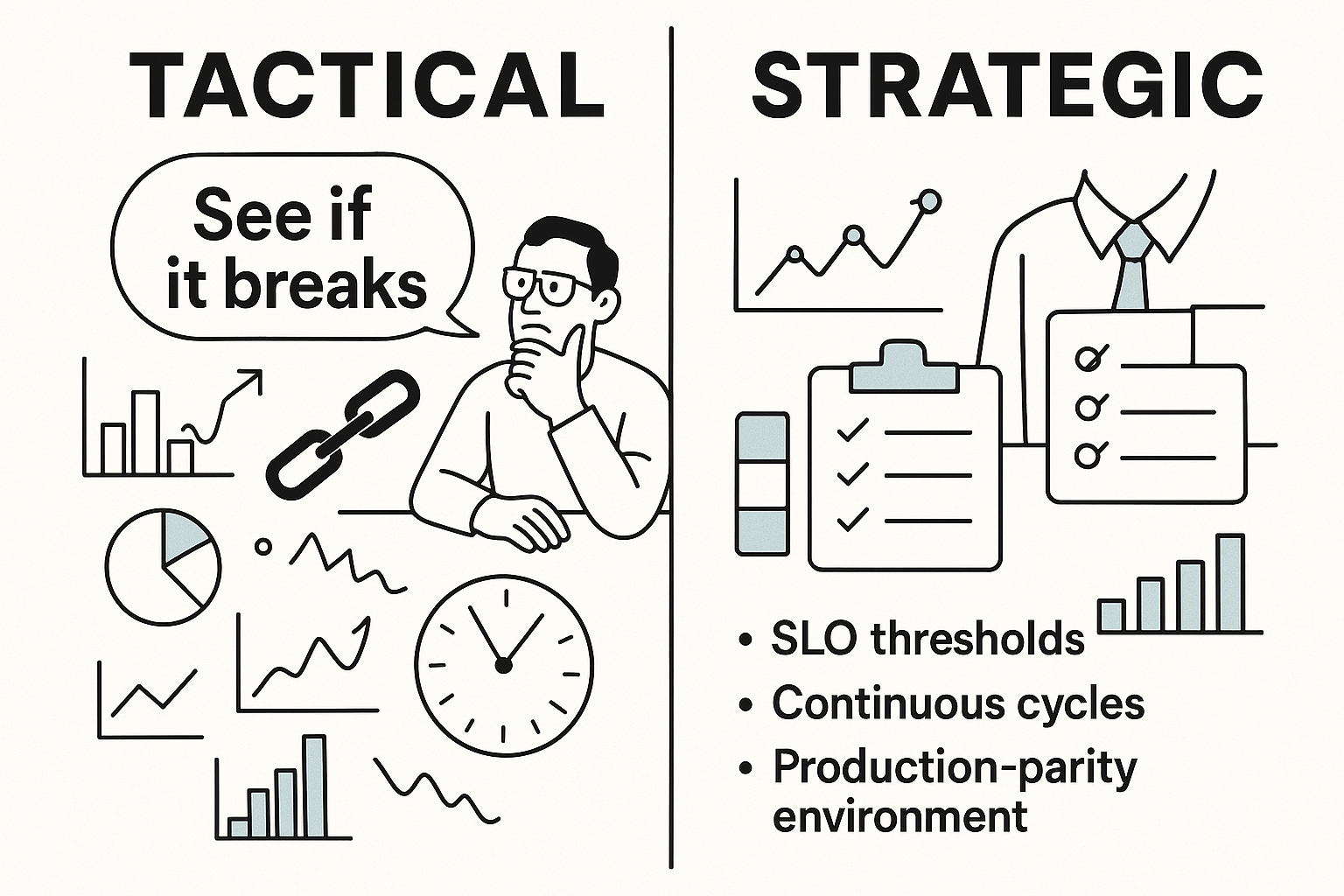
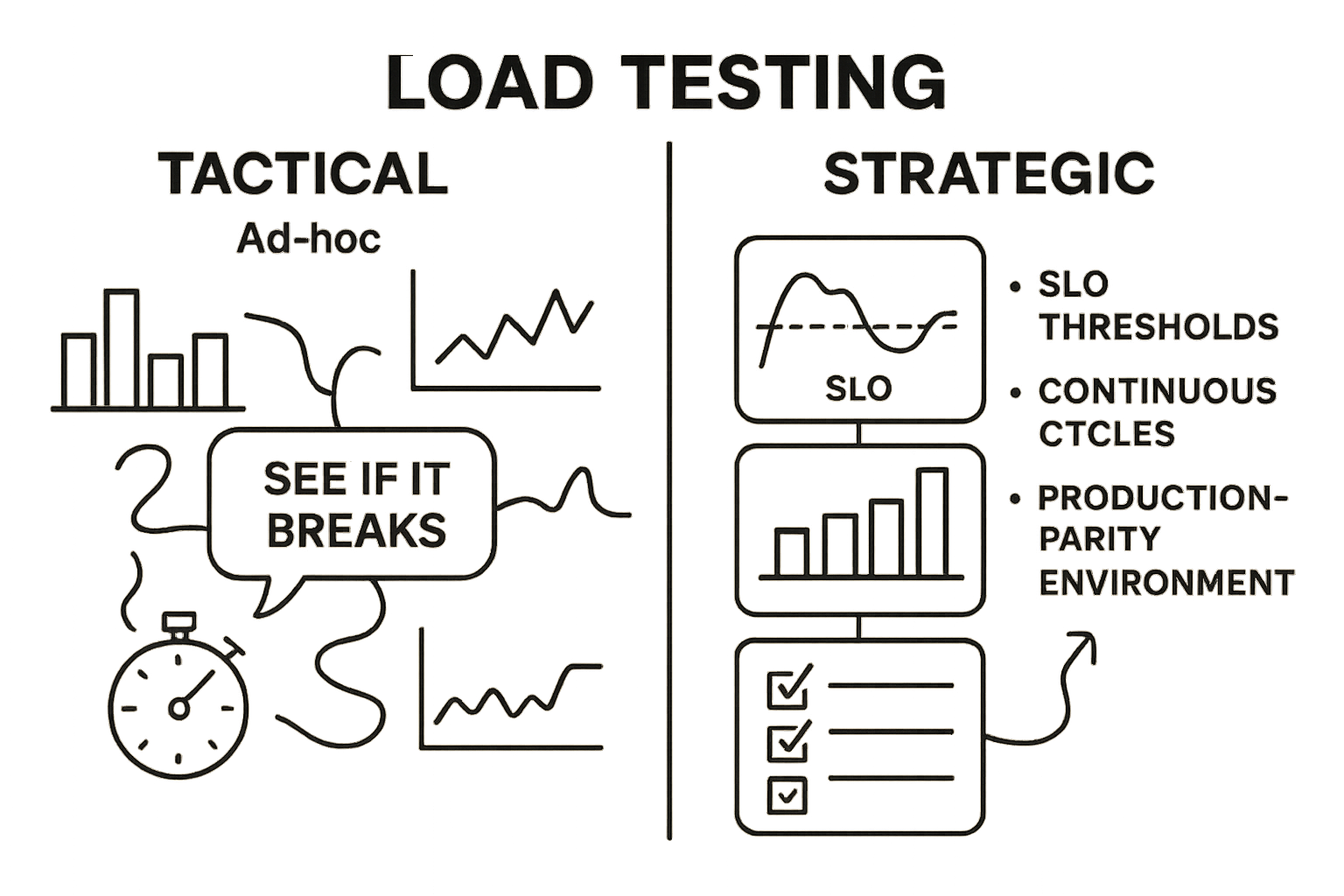
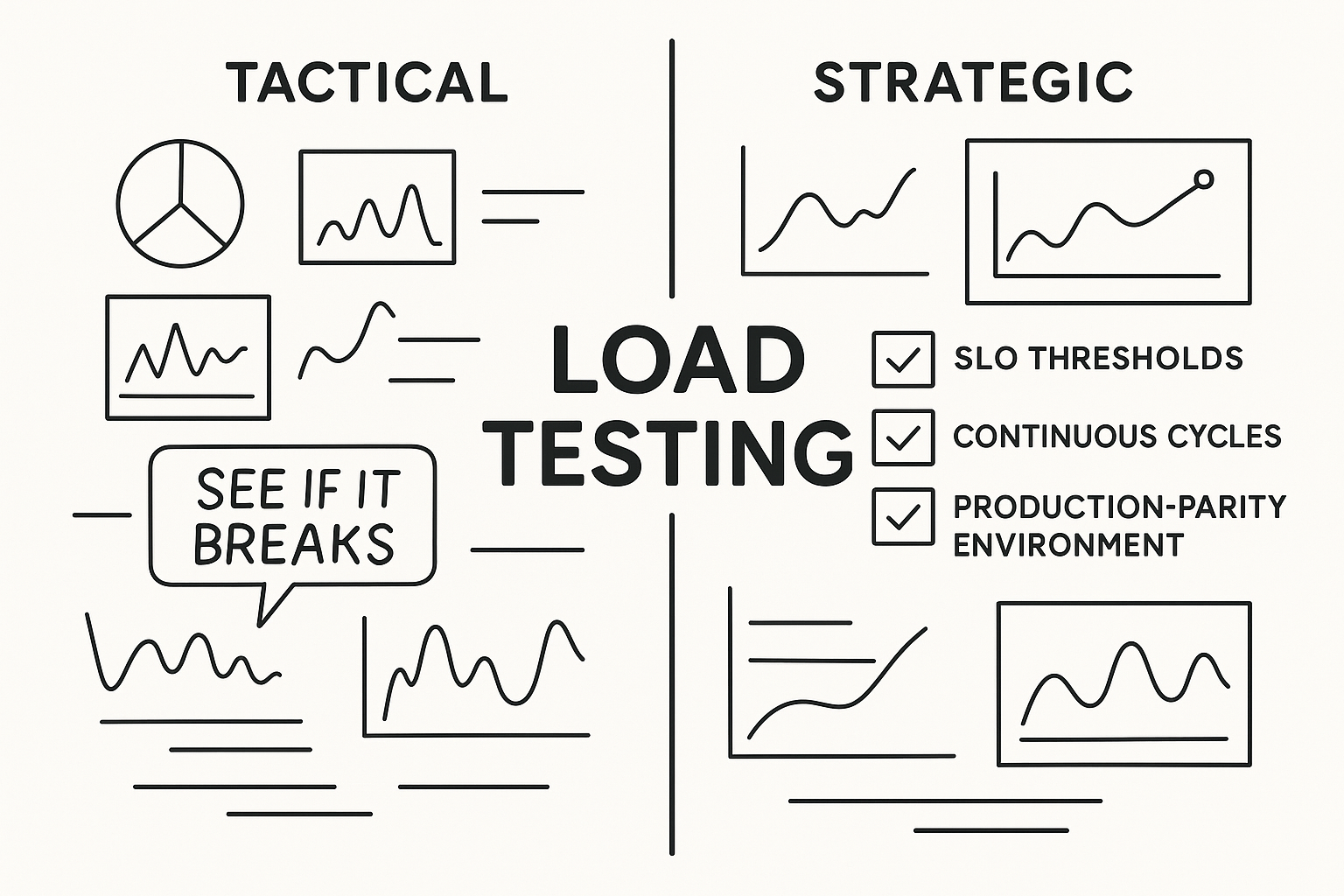
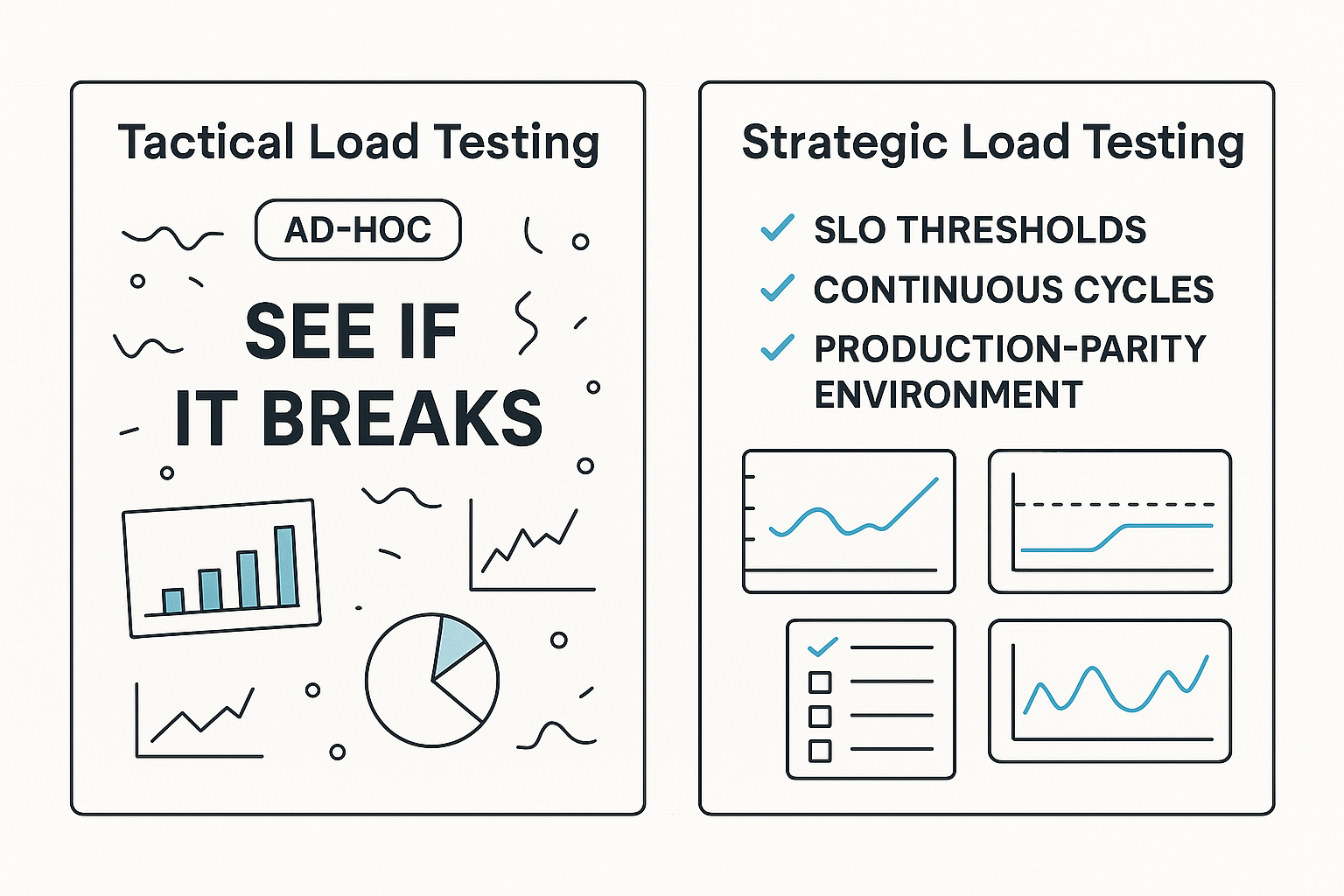
Tactical load testing is reactive: someone remembers to run a script before a release, results get reviewed (or not), and the team moves on. Strategic load test planning is a continuous, business-aligned discipline with five distinguishing characteristics:
| Dimension | Tactical Approach | Strategic Approach |
|---|---|---|
| Frequency | Ad-hoc, pre-launch only | Every release + scheduled peak-readiness cycles |
| Goal Setting | “See if it breaks” | Pre-defined SLO thresholds with pass/fail criteria |
| Environment | Whatever staging is available | Production-parity configuration, documented and version-controlled |
| Results Interpretation | “Looks OK” or “we saw errors” | Bottleneck root cause → prioritized remediation backlog |
| Release Integration | Disconnected from pipeline | Automated performance gate in CI/CD, blocking bad releases |
DORA’s 2024 findings reinforce this: high-performing teams apply “small batch sizes and robust testing mechanisms” consistently, not occasionally [4]. The mechanism matters as much as the execution.
The Five Business Goals Every Load Test Plan Must Trace Back To
Before writing a single script, strategic load testing starts with business goal alignment. Every load test plan must address five objectives:
- SLA protection. If your p99 latency SLA is 500ms, your load test must validate that threshold holds at 150% of projected peak concurrency, not just at average load.
- Capacity validation before peak events. Confirm that your infrastructure handles projected Black Friday / launch day / campaign traffic with headroom, typically 120–150% of forecast.
- Compliance and resilience mandates. NIST SP 800-34 Rev. 1 (Contingency Planning Guide) requires organizations to validate Recovery Time Objectives (RTOs) and capacity thresholds, load testing is the mechanism.
- Release confidence. Every deployment should carry quantified performance evidence, not assumptions.
- Infrastructure ROI quantification. Load test data tells you whether that additional database replica or CDN tier is actually needed, or whether tuning existing resources is sufficient.
Crafting Your Load Test Plan: A Step-by-Step Framework From Objectives to Execution
This section is the operational core, the sequenced framework your team can implement starting this sprint.
Step 1 – Define Your Objectives: What ‘Pass’ and ‘Fail’ Actually Mean Before You Write a Single Script
The most common load testing mistake isn’t picking the wrong tool, it’s running tests without pre-defined success criteria. Before execution, document:
- Response time thresholds using percentiles, not averages. A p50 of 150ms with a p99 of 4,200ms means half your users are fine and 1% are experiencing near-timeout conditions. Set criteria like: “p95 response time ≤ 300ms under 500 concurrent users” and “p99 ≤ 800ms under the same load.”
- Error rate ceilings. Define “error rate < 0.5% at 120% of projected peak load” as a hard gate. Distinguish between application errors (5xx) and client errors (4xx from misconfigured test scripts).
- Throughput minimums. Specify transactions per second (TPS) floors for critical paths, e.g., “checkout completion ≥ 50 TPS at peak load.”
Percentile-based metrics matter for outage prediction because averages mask tail latency, the exact latency range where user abandonment and timeout cascades originate. WebLOAD’s SLA-aware reporting surfaces percentile violations automatically, flagging threshold breaches during test execution rather than requiring post-hoc analysis.
Step 2 – Model Real User Behavior: Building Test Scenarios That Actually Reflect Production Traffic
Unrealistic test scenarios are the primary source of testing inaccuracies and false confidence. Building production-representative scenarios requires:
- Transaction mix calibrated to analytics data. For an e-commerce platform: product browse (60% of sessions), add-to-cart (35%), checkout initiation (20%), payment completion (15%), with appropriate think times of 3–8 seconds between steps. Zero-delay request hammering tests your infrastructure’s burst tolerance, not your application’s real-world behavior.
- Session variability. Real users don’t follow identical paths. Parameterize product IDs, user credentials, geographic origins, and device types. A test with 1,000 virtual users all browsing the same product page tells you nothing about your recommendation engine’s performance under diverse query loads.
- Third-party dependency inclusion. If your checkout flow calls a payment gateway, your test must include that call (or a representative stub with realistic latency). Omitting it produces optimistic results that collapse under production conditions.
Step 3 – Configure Your Test Environment: Why Production Parity Is Non-Negotiable
A test run against a misconfigured environment produces data that’s worse than no data, it creates false confidence. Four non-negotiable parity requirements:
- Database instance size must match production tier. A test against a db.t3.medium when production runs db.r5.2xlarge will bottleneck on I/O and memory before your application code is even stressed.
- CDN configuration must be replicated or intentionally excluded. If production serves static assets via CDN, test either with CDN (to validate cache hit rates under load) or without (to stress-test origin servers), but document which and why.
- Third-party API endpoints: stubs vs. live. Document whether you’re hitting live payment/identity/geolocation APIs or using stubs. Live endpoints introduce rate-limit variables; stubs remove them but may mask integration failures.
- SSL/TLS termination must mirror production load balancer config. TLS handshake overhead at scale is non-trivial, testing over HTTP when production enforces HTTPS underestimates CPU load by 10–30% on the load balancer tier.
RadView’s platform supports both cloud-based and on-premises test execution, which addresses hybrid environment testing where load generators must reside inside private networks to reach internal services while also simulating external user traffic.
Step 4 – Select Your Load Profile: Ramp-Up, Steady State, Spike, Soak, and When to Use Each
Different profiles surface different failure modes. Match profile to objective:
- Ramp-up: Increment from 0 to target concurrency over 10–30 minutes. Purpose: identify the inflection point where response times degrade non-linearly. Look for the “knee” in the latency curve.
- Steady-state: Sustain target concurrency for 30–60 minutes. Purpose: validate that performance remains stable (no creeping degradation) at expected production load.
- Spike: Jump from baseline to 3–5x concurrency within 30–60 seconds. Purpose: validate auto-scaling trigger responsiveness and queue/backpressure behavior. If your auto-scaler takes 90 seconds to provision new instances and your spike hits in 30 seconds, you have a coverage gap.
- Soak/endurance: Run at 80% of peak load for 4–8 hours minimum. Purpose: detect memory growth exceeding 10% per hour, thread count trending upward without returning to baseline, or database connection counts creeping toward pool limits, early warning signals of resource leaks invisible in shorter tests.
Step 5 – Analyze Results Like a Performance Engineer, Not a Dashboard Watcher
If p99 latency spikes at 300 concurrent users but p50 remains stable, the bottleneck is likely a contention issue, database lock, connection pool limit, or thread pool saturation, affecting only high-concurrency edge cases. This distinction determines whether you tune the database (add read replicas, optimize slow queries) or scale horizontally (add application instances). Treating both as “the app is slow” leads to expensive, misdirected infrastructure changes.
WebLOAD’s intelligent correlation engine automates this pattern detection: it cross-references response time degradation with specific transaction types, backend resource utilization, and network segments simultaneously, surfacing that the checkout API degrades at 250 concurrent users because the inventory service’s connection pool maxes out, while browse and search remain unaffected up to 800 users. Manual dashboard review typically misses this transaction-level granularity.
Step 6 – Document, Report, and Iterate: Turning One Test Cycle Into a Living Performance Baseline
Every test cycle should produce a structured report containing:
- Test date and environment configuration (instance types, software versions, network topology)
- Peak load tested (concurrent users, TPS achieved)
- p95/p99 threshold pass/fail status against pre-defined SLOs
- Top 3 bottlenecks identified with root cause classification
- Remediation owners assigned with target resolution dates
- Next scheduled test date
Recommended minimum cadence: before every major release, and 4–6 weeks before any anticipated peak traffic event (holiday season, product launch, marketing campaign), with sufficient time for remediation and re-testing. Align this to your NIST SP 800-34 Rev. 1 contingency planning requirements where RTO and capacity validation are mandated.
Proactive Outage Prevention: How Load Testing Results Translate Into Infrastructure Hardening Actions
Load testing without a remediation action loop is incomplete. Results must trigger specific infrastructure changes.
Building Your Pre-Launch High-Traffic Readiness Checklist
Use this checklist 4–6 weeks before any peak traffic event:
- ✅ Auto-scaling policy validated: Horizontal scaling triggers at 70% CPU utilization; new instances become traffic-ready within 90 seconds under spike test conditions
- ✅ Database connection pool sized: Pool max set to 200 connections with 30-second timeout; soak test confirms pool utilization stays below 80% at sustained peak
- ✅ CDN cache hit rate confirmed: >90% cache hit rate on static assets under full user concurrency; origin server load remains within capacity at cache-miss rates
- ✅ Third-party API rate limits verified: Payment gateway, identity provider, and geolocation service rate limits support projected peak TPS with 20% headroom
- ✅ SSL/TLS termination load validated: Load balancer CPU stays below 60% during peak concurrent TLS handshakes
- ✅ Memory stability confirmed: 8-hour soak test shows <5% memory growth per hour with stable garbage collection patterns
- ✅ Error rate under threshold: <0.5% application error rate at 120% of projected peak load sustained for 30 minutes
- ✅ Failover tested: Primary-to-secondary database failover completes within RTO (e.g., <60 seconds) under active load without data loss
Organizations that skip this step are statistically overrepresented in ITIC’s finding that 41% of enterprises face $1M–$5M hourly downtime costs [1].
From Load Test Findings to Incident Response Playbook Updates
Load test results should directly update your on-call runbooks. Example playbook entry derived from load test data:
Trigger: p99 API response time exceeds 1,200ms for 3 consecutive minutes during peak hours.
Immediate action: Verify database connection pool utilization (threshold: >85%).
Escalation: If pool utilization confirmed >85%, page database team and initiate connection pool expansion procedure (Runbook DB-003).
Expected resolution time: 15 minutes.
Validation: Re-check p99 latency; confirm return to <400ms within 5 minutes of pool expansion.
DORA’s elite-performer recovery advantage, 2,293x faster than low performers [4], is built on exactly this kind of pre-documented, threshold-specific response procedure. NIST SP 800-160 Vol. 2 Rev. 1’s mandate to “recover from and adapt to adverse conditions” [3] isn’t met by ad-hoc Slack threads during incidents, it’s met by playbooks informed by quantified load test data.
Embedding Load Testing Into CI/CD Pipelines: Shifting Performance Left So Bottlenecks Never Reach Production
Continuous load testing means every release carries performance evidence. In a Jenkins- or GitHub Actions-based pipeline, a performance gate inserted as a post-deployment stage can trigger an automated test suite against staging, fail the build if p95 latency exceeds the defined SLO by more than 15%, and publish results to the team’s communication channel automatically. No release proceeds without performance sign-off.
This is where DORA’s finding lands hardest: elite performers deploy 182x more frequently with 8x lower change failure rates. That combination, higher velocity with lower failure, is only possible when automated quality gates, including performance gates, are embedded in the pipeline rather than bolted on as a pre-release afterthought.
Performance Gates: Defining Automated Pass/Fail Criteria That Stop Bad Releases Before They Ship
A performance gate requires three components:
- Baseline metrics from the previous passing test cycle (p95 latency, error rate, throughput TPS)
- Regression tolerance thresholds, e.g., “fail if p95 latency regresses >15% from baseline” or “fail if error rate exceeds 0.3%”
- Automated enforcement, the pipeline must actually block deployment on failure, not just log a warning
WebLOAD supports API-driven test execution and CI/CD plugin integration, enabling this gate to run as a standard pipeline stage with results returned programmatically for automated pass/fail evaluation.
The cultural shift matters as much as the tooling. When performance gates are visible in every build, and when regressions block deployment the same way failing unit tests do, performance stops being “the performance team’s job” and becomes a shared engineering responsibility.
Frequently Asked Questions
Is 100% load test coverage across every endpoint worth the investment?
Not always. Prioritize by business impact and traffic volume. Your checkout and authentication flows warrant exhaustive coverage across all load profiles. A rarely-accessed admin settings page does not. Apply the 80/20 rule: identify the 20% of endpoints that handle 80% of user-facing transactions and peak-traffic load, and allocate testing depth accordingly. Covering everything equally dilutes focus and extends test cycles without proportional risk reduction.
How do I handle load testing when my application depends on third-party APIs with strict rate limits?
Use a tiered approach. During scenario development and baseline testing, use service stubs that replicate third-party response times (add realistic latency: 150–300ms for payment gateways) but bypass rate limits. For final pre-peak validation, run at least one test against live third-party endpoints at projected peak TPS to verify you won’t hit rate-limit walls in production. Document the results of both approaches and note any discrepancy.
What’s the minimum soak test duration to reliably detect memory leaks?
Four hours is the practical minimum for applications with moderate heap sizes (2–8GB). Memory leaks that grow at 30–50MB/hour won’t produce visible symptoms in a 30-minute test but will consume available heap in 4–8 hours under sustained load. If your production traffic patterns include sustained multi-hour peaks (business hours for a SaaS platform, evening hours for streaming), match your soak duration to your longest sustained traffic window.
Should I load test in production or only in staging environments?
Both, for different purposes. Staging validates functional performance against controlled baselines. Production load testing (using synthetic traffic injection during low-traffic windows, or canary-style progressive rollouts with real-time performance monitoring) validates that production-specific configurations, CDN behavior, DNS resolution, geographic routing, actual database sizes, perform as expected. Neither replaces the other.
How often should load test baselines be updated?
After every significant architectural change (new microservice, database migration, CDN provider switch), after major dependency version upgrades, and at minimum quarterly even without changes. Performance characteristics drift as data volumes grow, user patterns shift, and infrastructure providers update underlying hardware. A baseline from six months ago may pass thresholds that current production would fail.
References
- Information Technology Intelligence Consulting (ITIC Corp). (2024). ITIC 2024 Hourly Cost of Downtime Survey, Part 2. ITIC Corp. Retrieved from https://itic-corp.com/itic-2024-hourly-cost-of-downtime-part-2/
- IDC and New Relic. (N.D.). Industry research on annual IT outage costs and per-minute downtime benchmarks, as cited in enterprise IT operations analyses. Aggregate figures: $76M annual IT outage cost per organization; $33,333 cost per minute of downtime.
- Ross, R., Pillitteri, V., Graubart, R., Bodeau, D., & McQuaid, R. (2021). SP 800-160 Vol. 2 Rev. 1: Developing Cyber-Resilient Systems: A Systems Security Engineering Approach. National Institute of Standards and Technology (NIST). Retrieved from https://csrc.nist.gov/publications/detail/sp/800-160/vol-2-rev-1/final
- DeBellis, D., Storer, K.M., Harvey, N., et al. (2024). Accelerate State of DevOps Report 2024. DORA (DevOps Research and Assessment), Google Cloud. Retrieved from https://dora.dev/research/2024/dora-report/2024-dora-accelerate-state-of-devops-report.pdf